Wireless 2.4G
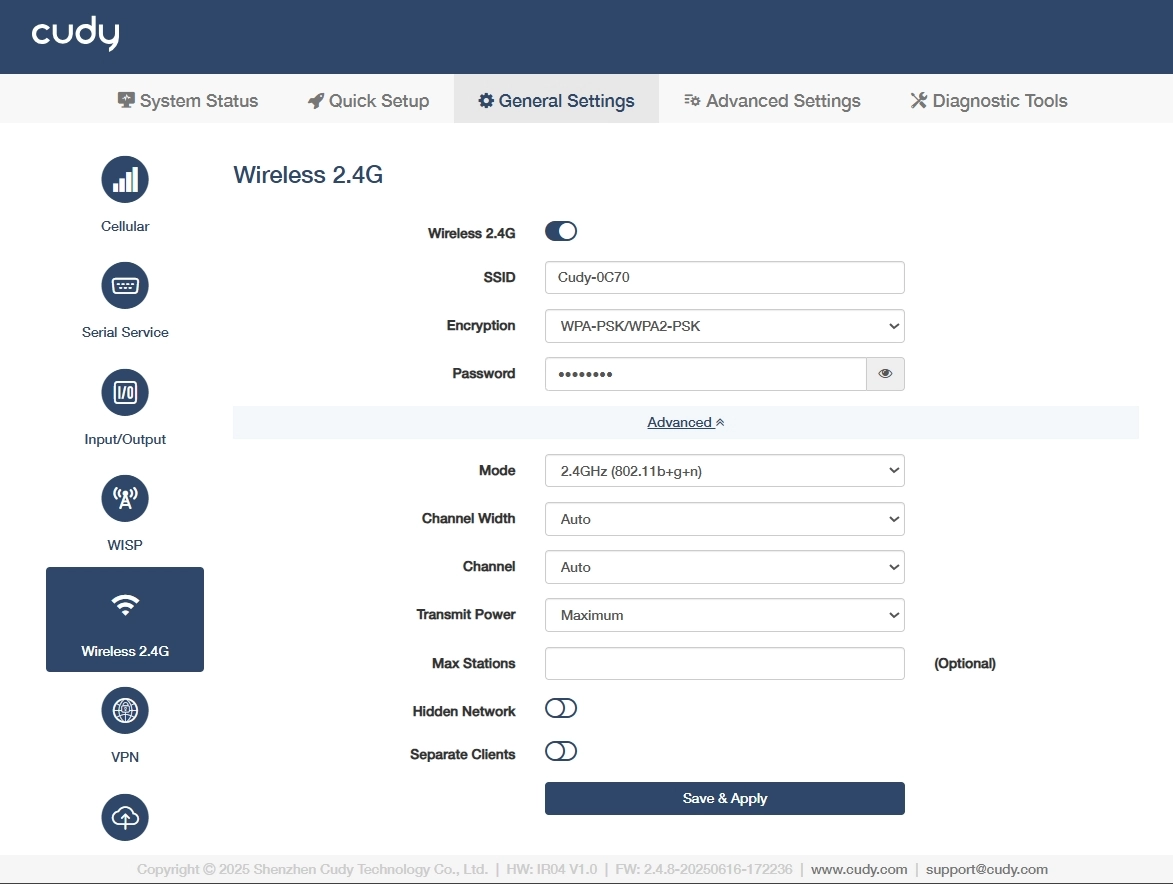
On the General Settings >> Wireless 2.4G page, you can customize the wireless 2.4G network. Please follow the steps below.
- Click to enable Wireless 2.4G.
- Customize SSID(a visible name) for your 2.4GHz Wi-Fi network, or keep it as default.
-
Select an Encryption (a security protocol) to prevent unauthorized access.
- WPA-PSK: Legacy TKIP encryption, vulnerable to attacks, deprecated.
- WPA2-PSK: AES-based standard, secure but susceptible to brute-force.
- WPA-PSK/WPA2-PSK: Mixed mode for backward compatibility, weakest link dictates security.
- WPA2-PSK/WPA3-SAE: Transitional mode, AES+SAE for future-proofing.
- WPA3-SAE: Quantum-resistant, SAE protocol, ideal for critical infrastructure.
-
Set a Password (a pre-shared key with 8-63 characters or 64 hexadecimal number) for the network authentication.
-
Select a Mode (a Wi-Fi standard 802.11n balances range/speed).
- 802.11b+g+n: Combines legacy (b/g) with modern (n) for maximum compatibility and speed up to 300Mbps.
- 802.11b+g: Legacy mode for older devices, limited to 54Mbps which avoids in high-density areas.
- 802.11b: Obsolete 11Mbps, only for vintage equipment. Not recommended.
-
Select Transmit Power for the signal strength control.
- Maximum: 100% power extends coverage to long-range outdoor areas but may increase interference.Suitable for large facilities with sparse device density.
- Middle: ~50-70% power balances coverage and interference for indoor industrial spaces. Suitable for Medium-sized factories with metal obstructions.
- Minimum: ≤30% power limits range to small, controlled zones. Suitable for high-density IoT deployments or EMI-sensitive areas.
-
(Optional) Set Max Stations for device connection limit based on router capacity.
-
(Optional) Enable Hidden Network to avoid SSID broadcast and hide the network from casual scans but offers minimal security. Use only with WPA3 for industrial IoT.
-
(Optional) Enable Separate Clients to isolate connected devices and block their communication, critical for IoT security in shared networks.